If you watched Rip Off Britain on January 15th [Episode 35 of Series 15 at c. 29mins 45secs into the programme] you will see an expert describe the Scam that one of our members has experienced recently and which has led me to write this post which may well be the first of a number on the subject of Scams.
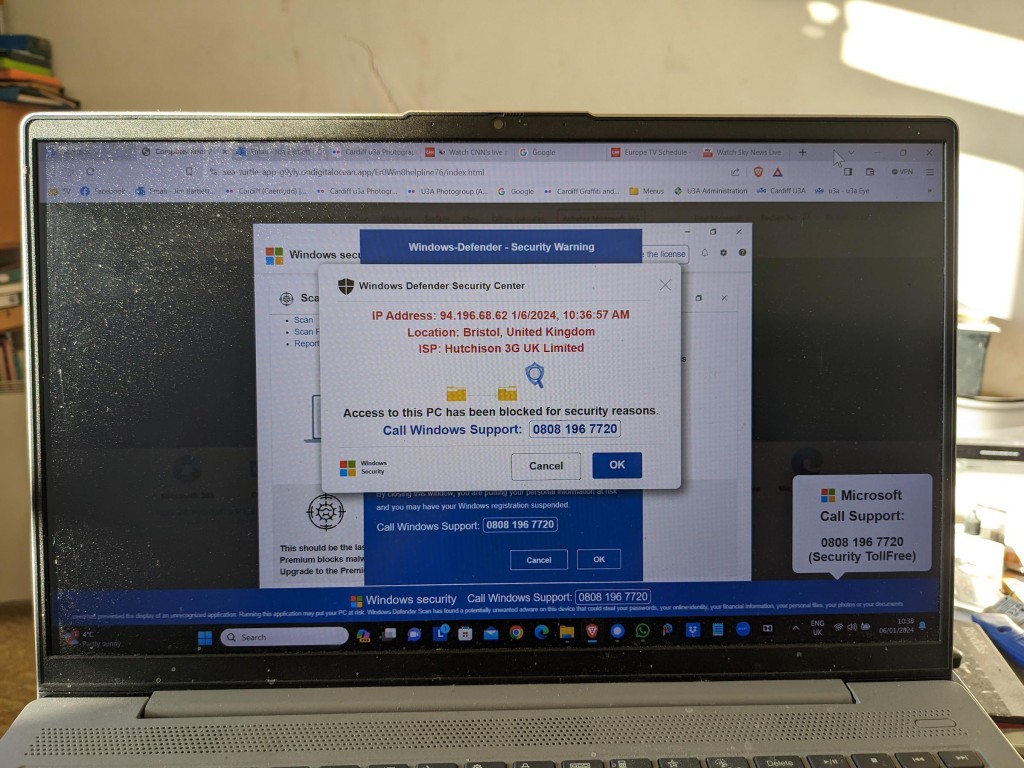
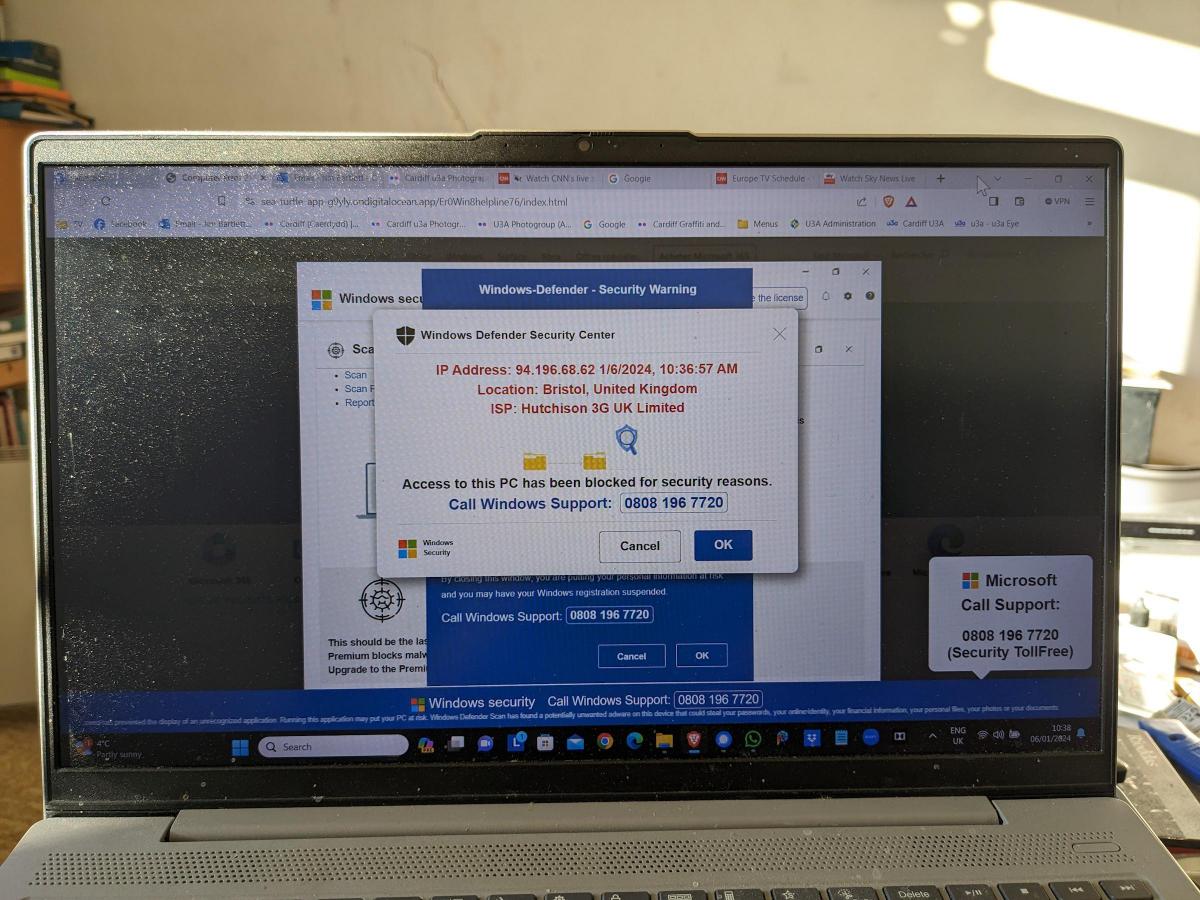
This scam manifests itself by your computer screen being taken over by a popup which also freezes your screen. You are instructed by a voice-over not to turn off your machine but instead to ring a telephone number where you will be “assisted” to unlock your computer which has been locked – in this case supposedly by Microsoft, but it could be any large tech company – for your protection.
This alarming message plus the fact that your screen has frozen may lead you into thinking you better click on the button to seemingly connect to Microsoft. This will lead to a telephone conversation where you will be requested to supply information that will undoubtedly lead to fraud.
Do nothing!
Note well: No tech company will approach you in this way. They will not be doing this form of online monitoring of your devices. In this case the scam is preying on the fact that you are being led to think that your Windows Defender Security package is not working properly. No tech company would readily admit to its users of a deficiency in their programs in this way – that could lead potentially to legal action being taken against them. For a genuine issue they might issue an alert on their webpages and a request to upgrade (or whatever), or they might be forced to send an email to registered users, but they would not send unsolicited messages in this way.
It is important to realise that with this scam, at this stage, the scammers know NOTHING about you. The scam works by malicious code having been added to a website you are visiting, or to an advert on the website you are visiting. The simple solution is to press F11 to unlock your screen, note the website address and make a note not to go to that site again. [I would probably also recommend clearing your internet cache and history from your browser before closing down your computer; waiting a few moments; and then re-booting it.]
The more long-term solution is to install an Ad Blocker such as AdBlock Plus as an extension to your browser. This would act in conjunction with your standard security software which on a Windows machine could well be Windows Defender.
Happy, safer surfing.
If you want to see the recording of the message that our Digital Matters member made of the scam, watch the video below …